
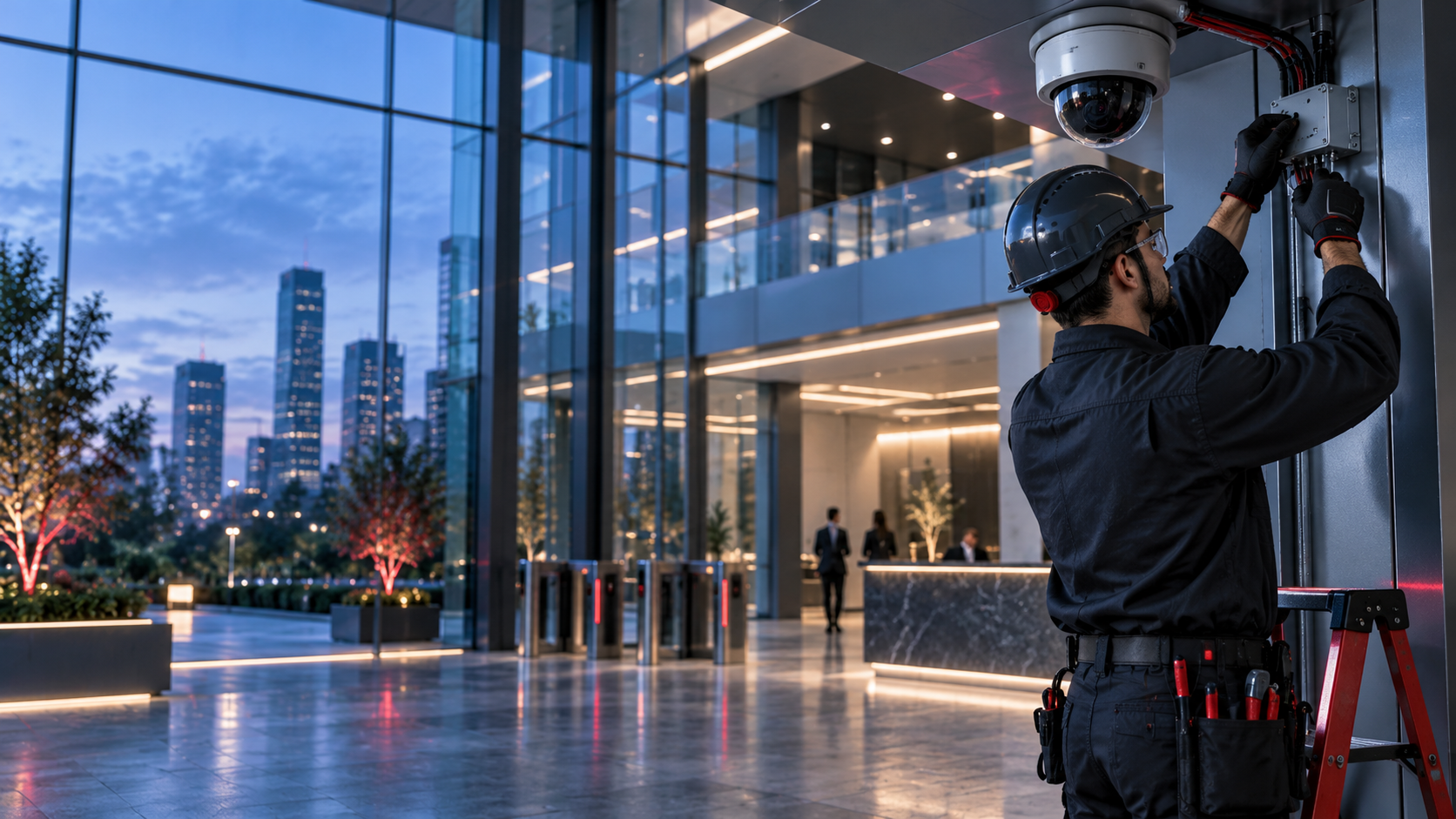
The infrastructure behind commercial surveillance
Commercial security camera cabling
in Dallas–Fort Worth.
Texas Automation and Control Solutions (TACS) supports commercial security camera cabling from Dallas, Texas, across Dallas–Fort Worth. We help security integrators, contractors and facility teams with camera cable runs, pathways, terminations and labeled connections—coordinated with the provider responsible for the surveillance system.
50+ years Combined team experience
DFW + Texas Commercial field-installation support
Clear connections Camera locations, cable labels and agreed handover
Defined installation scope. Organized handover.
Security camera cabling services
A camera project involves the building infrastructure as well as the cameras. TACS focuses on the field-cabling package: routes, terminations, identification and agreed checks. We coordinate that work with the security integrator and IT team so equipment, network and recording responsibilities are clear.
IP camera wiring
Cable installation between approved camera locations and the designated network or equipment connections. Supply the device schedule, cable specification and termination requirements. TACS reviews the physical routes and field work; camera placement, coverage and recording objectives stay with the responsible security designer.
PoE camera cabling
Provide the cabling specified for power over Ethernet (PoE) camera connections. Confirm the selected cameras, switching equipment and installation requirements with the security and IT teams. Switch capacity, power budgets and network configuration are not assumed to be included in a cable-pulling package.
Pathways, supports and boxes
Review conduit, sleeves, supports and boxes needed for the approved cable routes. Ceiling access, mounting heights and occupied work areas affect installation planning. Exterior routes require project-specific review of materials, environmental exposure and any associated work before pricing and scheduling.
Panels and equipment-room connections
Organize cable terminations and identification at the designated patch panels or equipment area. Establish camera identifiers and port assignments with the receiving team. Rack equipment, recorders, storage and power connections must be assigned to the appropriate provider rather than presumed part of our cabling scope.
Commercial CCTV cabling upgrades
Review cable additions, relocations and replacement runs for an existing commercial camera system. Identify the current cable type and the proposed devices before assuming infrastructure can be reused. Existing coax or network wiring must be evaluated against the selected system and the accepted installation requirements.
Labeling, checks and closeout
Agree on cable identification, verification activities and installation records before work begins. We support the assigned cabling handoff to your security integrator. Image quality, recorder configuration, remote access and final surveillance-system acceptance remain separate responsibilities unless specifically included through an authorized provider.
Need a wider installation package? Review our commercial structured cabling , access-control wiring and BAS controls wiring services.
Prepare the installation—not just a camera count
Build the right connection to each camera.
An office entrance, warehouse aisle and exterior loading area can present different cable-routing and access conditions. Share the approved device locations and site information before requesting a price. We review the installation package without assuming that a generic per-camera allowance covers every building.
- Start with the approved camera schedule Identify each camera location, device model, specified cable and destination connection. The system designer establishes coverage and image requirements; the cabling scope follows the approved plan rather than making security-design decisions in the field.
- Assign power, network and recording responsibilities Identify who supplies and configures cameras, switches, recorders and storage. Confirm the required network and power arrangements with that team. A cable installation does not itself establish a working recording or remote-viewing system.
- Plan work around the occupied building Provide access windows, height restrictions and any routes requiring separate trades. For changes to existing surveillance, agree on the authorized changeover plan. Do not assume that disconnecting or moving a cable will leave current coverage unaffected.
Scope boundary: This page offers cabling and infrastructure scope review, not a turnkey camera platform, live monitoring, guaranteed surveillance coverage or cybersecurity certification. Applicable company and installer authorizations and delivery responsibilities must be confirmed before regulated work is offered or accepted.
From approved locations to labeled connections
A coordinated camera-cabling project
A written scope connects the estimate, field installation and receiving security team. These steps help distinguish completed cabling from a fully configured surveillance system, so the project has a clear next step at each handoff.
-
01 / REVIEW
Share the camera package
Provide the project location, device schedule, authorized drawings and required dates. Include installation specifications, access restrictions and the system provider responsible for the completed surveillance solution.
-
02 / DEFINE
Confirm the installation scope
Agree on cable types, pathways, material supply, terminations and closeout records. Identify network, equipment and specialist responsibilities, along with the authorizations required for the work being offered.
-
03 / COORDINATE
Plan the field work
Schedule approved site access and coordinate the cabling work with other trades. Raise changed conditions through the project contact rather than altering equipment locations or disconnecting active systems without approval.
-
04 / HAND OVER
Complete the agreed checks
Deliver the assigned labeling, cable-verification results and installation records. The responsible security provider configures equipment and confirms image, recording and operational requirements within its separate scope.
McKinney-based. Commercial installation support.
Security camera cabling in Dallas–Fort Worth
Planning an office buildout, warehouse upgrade or additional commercial camera locations? Use these answers to prepare your inquiry. Final installation scope, authorizations and scheduling require confirmation before a project is accepted.
What does security camera cabling include?
The assigned cable infrastructure between approved camera locations and designated equipment connections. A TACS proposal defines routes, terminations, labels, checks and installation records. Camera supply, mounting, aiming, software, recording and remote access are not automatically included; identify the responsible provider and each required task before pricing.
Can you support IP cameras and PoE camera cabling?
We review the field cabling specified for the selected IP cameras and their power over Ethernet connections. Your security or IT provider confirms equipment requirements, power availability and network configuration. The scope must account for the approved cable, routes and connection points rather than promising that any camera will work on any existing cable.
Can existing coax or network cabling be reused?
Reuse depends on the proposed equipment, cable condition, routing and required verification. Provide existing records when available and identify any unknowns. We can review the cable scope, but reuse and compatibility should not be assumed before the responsible project team checks the installation against the selected system.
Do you configure recorders, remote viewing or monitoring?
Not through this cabling offering. The network video recorder (NVR), storage, user permissions, remote access and any monitoring service require a separately assigned provider. A completed cable run does not confirm that video is recorded, retained for a particular period or available remotely.
Does cabling prove that cameras and software are compatible?
No. The responsible system provider should check the exact camera and software models, firmware, supported features and any relevant interoperability profiles. This page makes no universal compatibility or manufacturer-authorization claim. Physical connectivity and a compatible, configured surveillance system are different deliverables.
How is commercial CCTV cabling priced?
Cable quantities and routes, approved device locations, mounting heights, pathway construction and occupied work areas affect the field package. Include material responsibilities, verification and closeout requirements with your inquiry. A generic per-camera allowance can miss work needed to prepare and connect a real commercial building.
Where do you support camera-cabling projects?
TACS is based in McKinney and reviews Dallas–Fort Worth commercial projects, including Dallas, Fort Worth, Plano, Frisco and Allen. Send the actual site address and requested schedule to confirm coverage, travel and crew availability. These service areas do not represent separate branch-office locations.
Independent planning resource: ONVIF’s profile overview (opens in a new tab) . An educational reference for your system provider—not a TACS membership, product-conformance or endorsement claim.
Let’s build what’s next
Move your camera-cabling project forward.
Tell us about the commercial security camera cabling your project needs. Choose Request a Quote for an initial scope review, or Submit Plans to share authorized installation documents.
A useful inquiry includes:
- Project location and current stage
- Approved camera locations, cable requirements and device schedule
- Target schedule and bid deadline
- Site access and closeout requirements
No plan set yet? Describe the work and name your security integrator when known. Scope, authorization, site requirements and scheduling must be confirmed before work is accepted.
Looking for field work instead? Visit the TACS careers inquiry section .